# Premium Branding
> Add your brand to Dropbox Sign API App to personalize your embedded eSignature solution.
{/*
import { Link } from '@redocly/developer-portal/ui' */}
Premium branding allows you to personalize the signing experience across multiple applications. When utilizing premium branding, you are able to customize emails, signer pages, logos, and remove any mention of Dropbox Sign to keep your brand in focus.
Premium branding is only available when you subscribe to a premium plan. Upon purchasing a premium plan the feature will become available in your account, and you will need to create an app in order to begin applying premium branding to your integration.
The premium branding options are passed in using `white_labeling_options` for the create API app ([/api\_app](/api/api-app/create)) and update API app ([/api\_app/\[:client\_id\]](/api/api-app/update)) endpoints.
## Custom colors
All customizable color elements require valid six-character hexadecimal codes for values. All elements are optional, and any element that you choose not to customize will be set to its default value. If you choose not to customize the value for an element that has a hover state, its hover state will inherit from its active state.
**Note**: The primary button color is shared with other elements:
* the word, "Loading," on the loading page
* the required fields counter circle
* the selected tab in the signature modal
* the border of the secondary button
* the border of the selected signature image
* the color block on the confirmation page.
The table below lists all customizable color elements.
| Element | Default Color |
| ----------------------------------- | ---------------------------------- |
| `page_background_color` | #F7F8F9 |
| `header_background_color` | #1A1A1A |
| `text_color1` | #808080 |
| `text_color2` | #FFFFFF |
| `link_color` | #0061FE |
| `primary_button_color` | #0061FE |
| `primary_button_text_color` | #FFFFFF |
| `primary_button_color_hover` | #0061FE |
| `primary_button_text_color_hover` | #FFFFFF |
| `secondary_button_color` | #FFFFFF |
| `secondary_button_text_color` | #00B3E6 |
| `secondary_button_color_hover` | #FFFFFF |
| `secondary_button_text_color_hover` | #0061FE |
Here is a layout of customizable elements:
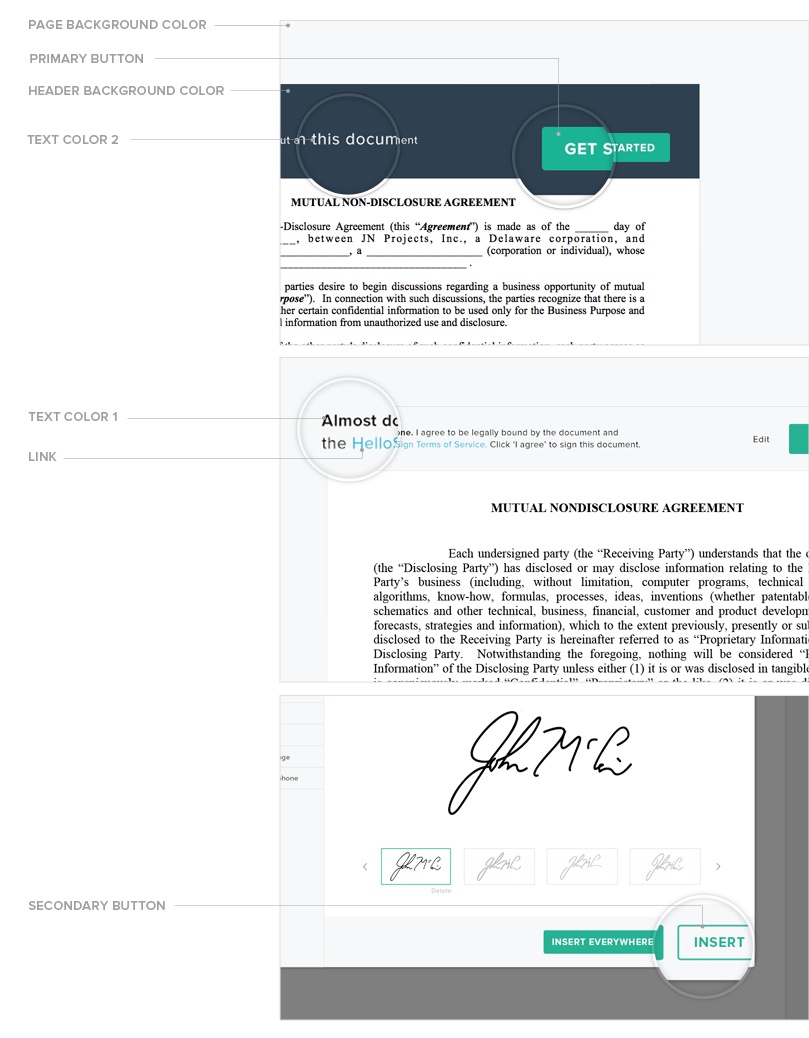
Some customizable color elements must meet a minimum contrast ratio of 2.1 with adjacent elements, for usability reasons. The contrast element `header_background_color_light` is not customizable. It has a value of `#F7F8F9`.
Take a look at this contrast ratio [formula](https://github.com/gdkraus/wcag2-color-contrast/blob/master/wcag2-color-contrast.php) to learn more about contrast.
| Element | Contrast Elements |
| ----------------------------------- | ---------------------------------------------------------- |
| `text_color1` | `header_background_color_light` |
| `text_color2` | `header_background_color` |
| `primary_button_color` | `header_background_color`, `header_background_color_light` |
| `primary_button_text_color` | `primary_button_color` |
| `primary_button_text_color_hover` | `primary_button_color_hover` |
| `secondary_button_text_color` | `secondary_button_color` |
| `secondary_button_text_color_hover` | `secondary_button_color_hover` |
## Legal version
The `legal_version` element is related to our terms of service. Its default value is `terms1`.
| Value | Description |
| -------- | ----------------------------------------------------------------------------------------------------------------------------- |
| `terms1` | I agree to be legally bound by this document and the Dropbox Sign Terms of Service. Click on 'I Agree' to sign this document. |
| `terms2` | By clicking "I Agree" you are legally signing this document and agreeing to the eSignature Terms of Service. |
## Error types in premium branding
Validation errors are JSON-encoded and returned as a value on `error_msg` (for more info on errors, see the [warnings and errors page](/api/manual-reference-pages/warnings-and-errors)). An error includes the error type and the invalid element name or names. Here is a list and details of possible error types that can be returned:
| Error | Description |
| ------------------------ | ----------------------------------------- |
| `invalid_element_name` | Invalid element name. |
| `invalid_legal_version` | Invalid value passed for `legal_version`. |
| `invalid_hex_code` | Invalid hex code. |
| `invalid_contrast_ratio` | Contrast ratio is less than minimum 2.1. |
## Demo of Premium Branding
Below is an embedded demo of our premium branding, for a better demo experience please use our [Premium Branding Demo Page](https://app.hellosign.com/api/white-labeling).
## Embedded Signer App Example
Here is an example of premium branding applied onto an embedded signer page.
Scranton Paper’s Partner Portal is the company’s internal tool for managing Partnerships. Pamela is logged in and is signing a mutual NDA with a new partner, JN Projects. Dropbox Sign’s signing functionality is premium branding and embedded within the portal.
| Image | Details |
| ----------------------------------------------------------------------------------------------------------------------------------------------------------- | ------------------------------------------------------------------ |
| 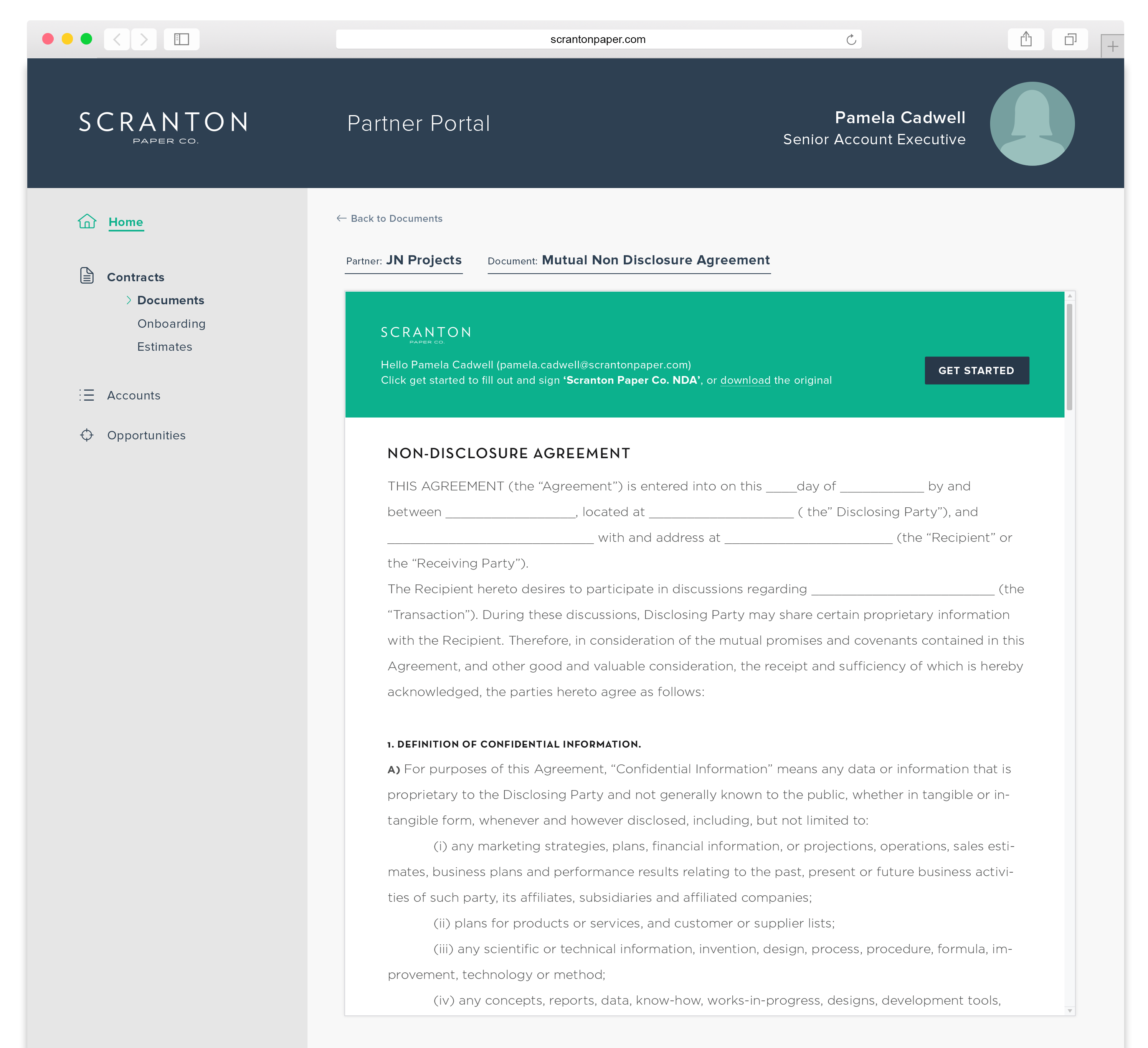 | The signer page is embedded within Scranton Paper’s Partner Portal |
| 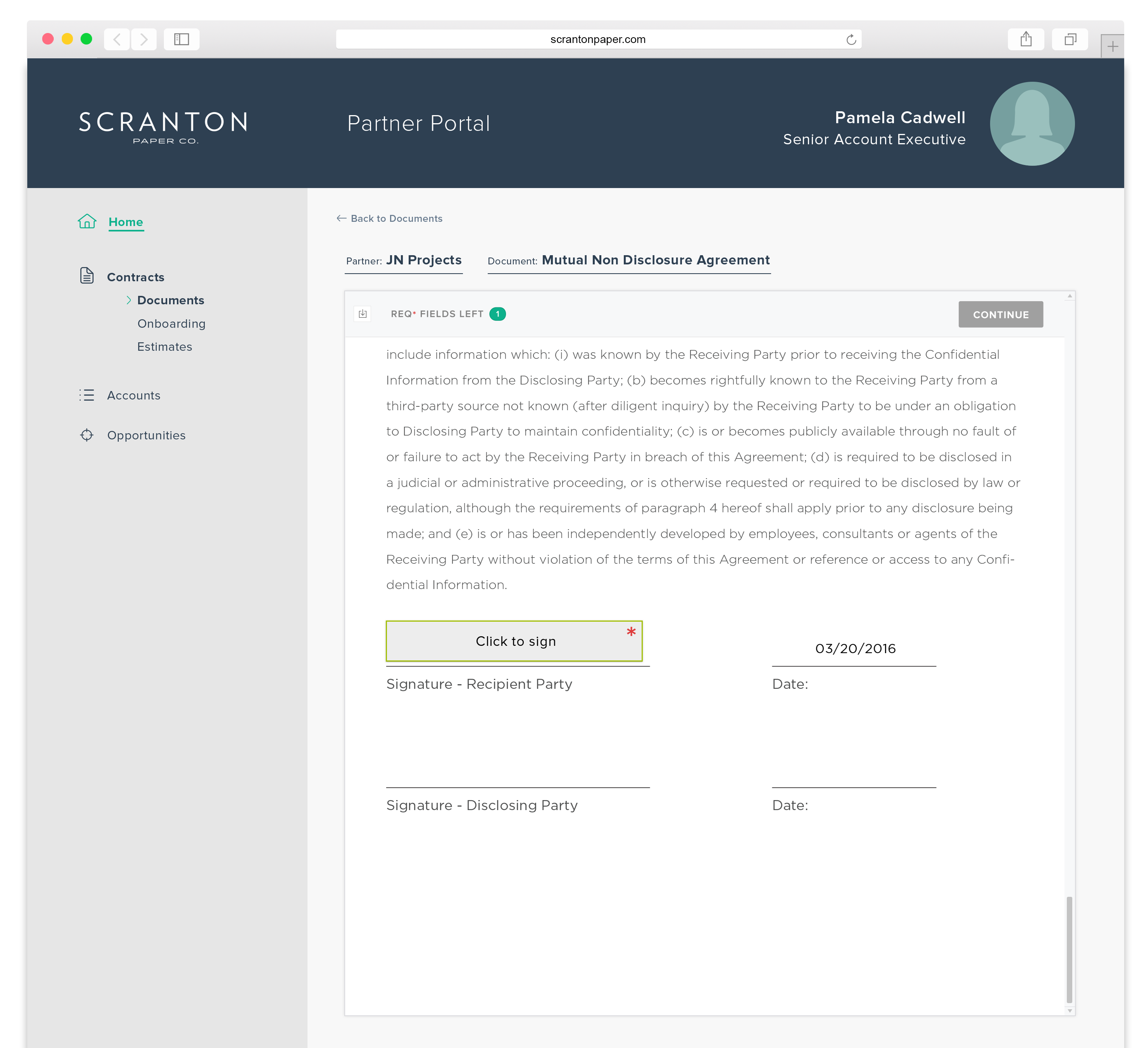 | Click to sign signature box |
| 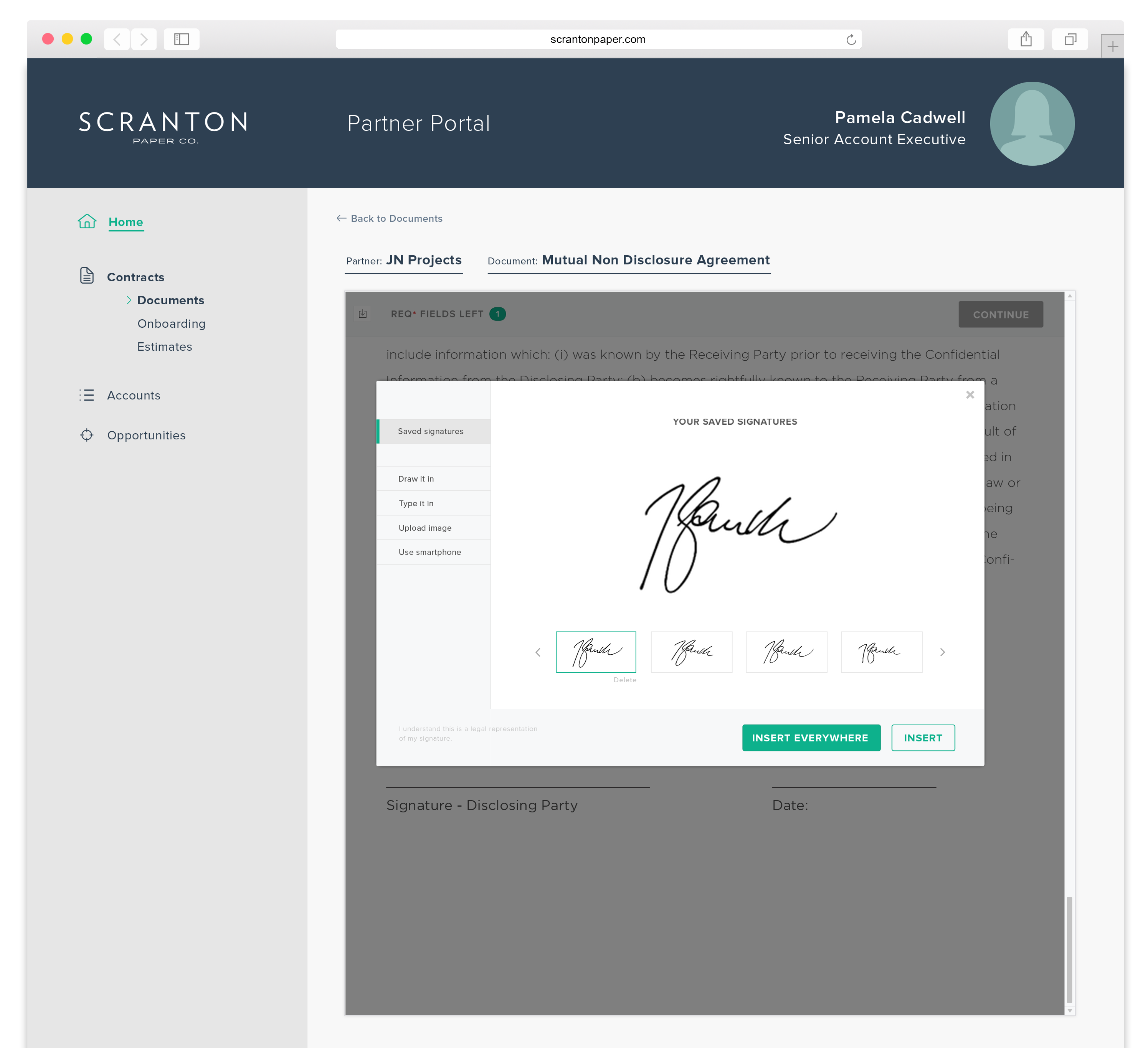 | Choose multiple signature options |
| 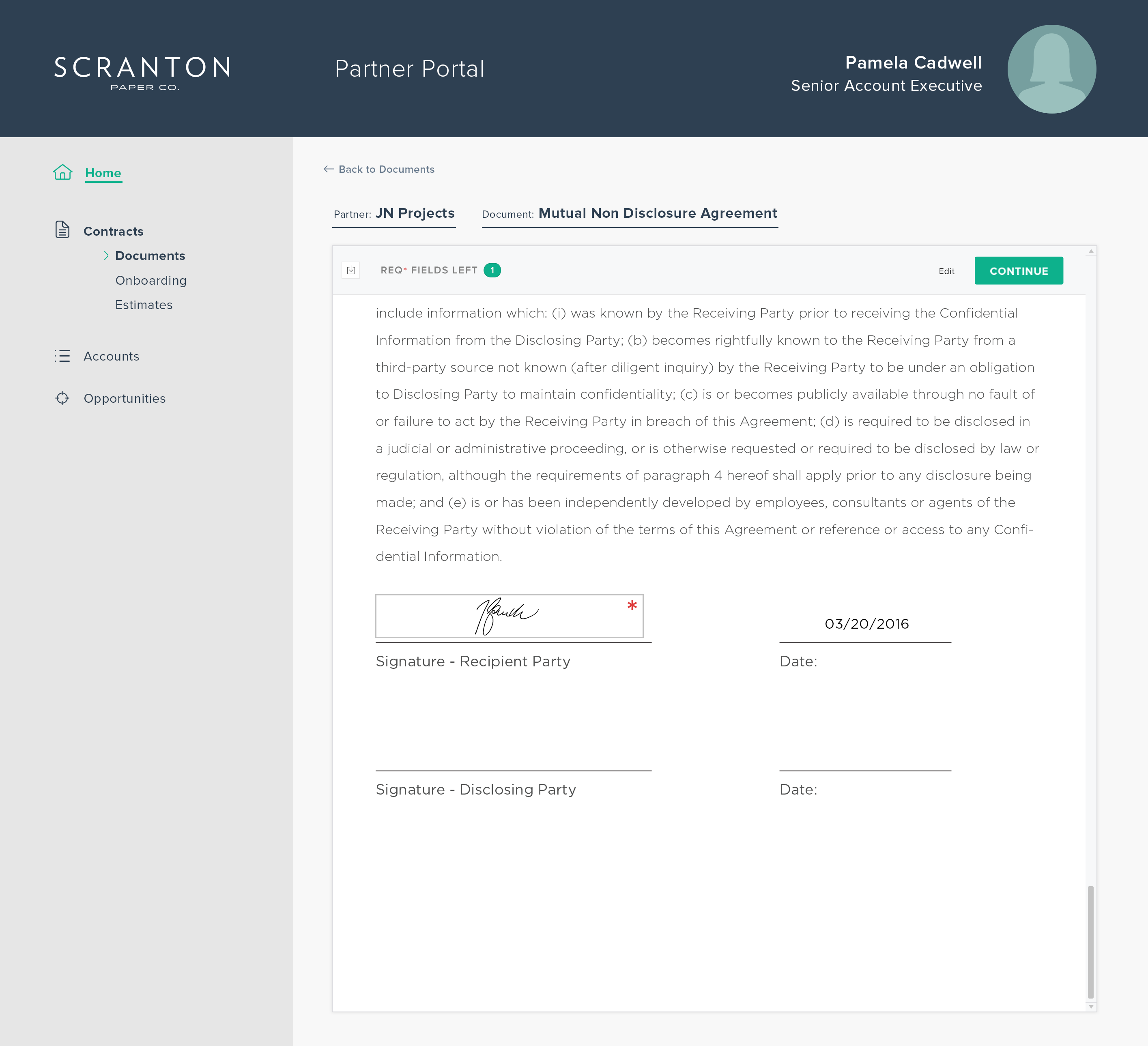 | The signature is displayed within document |
| 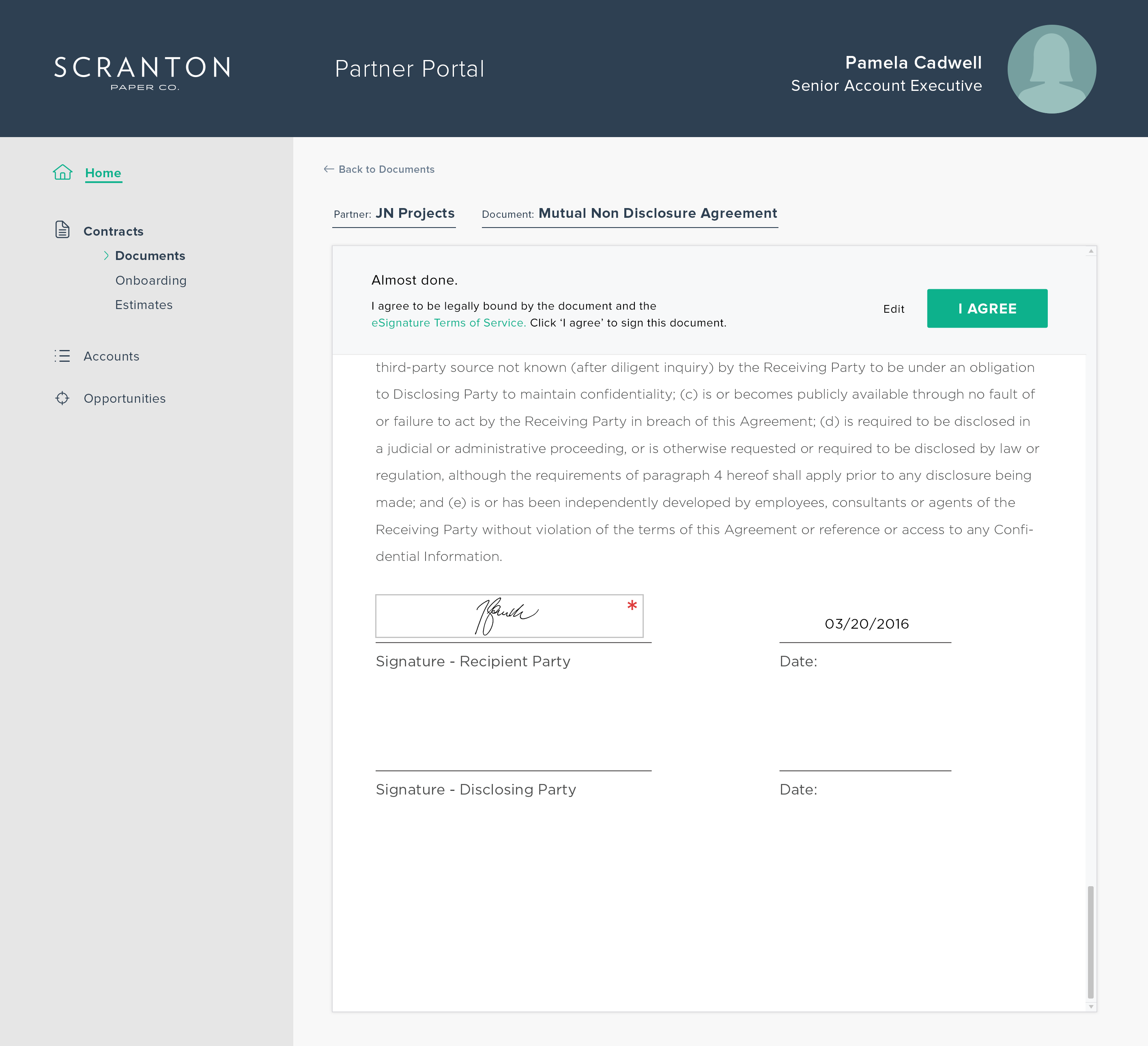 | Click the 'I agree' button to confirm signed document |
| 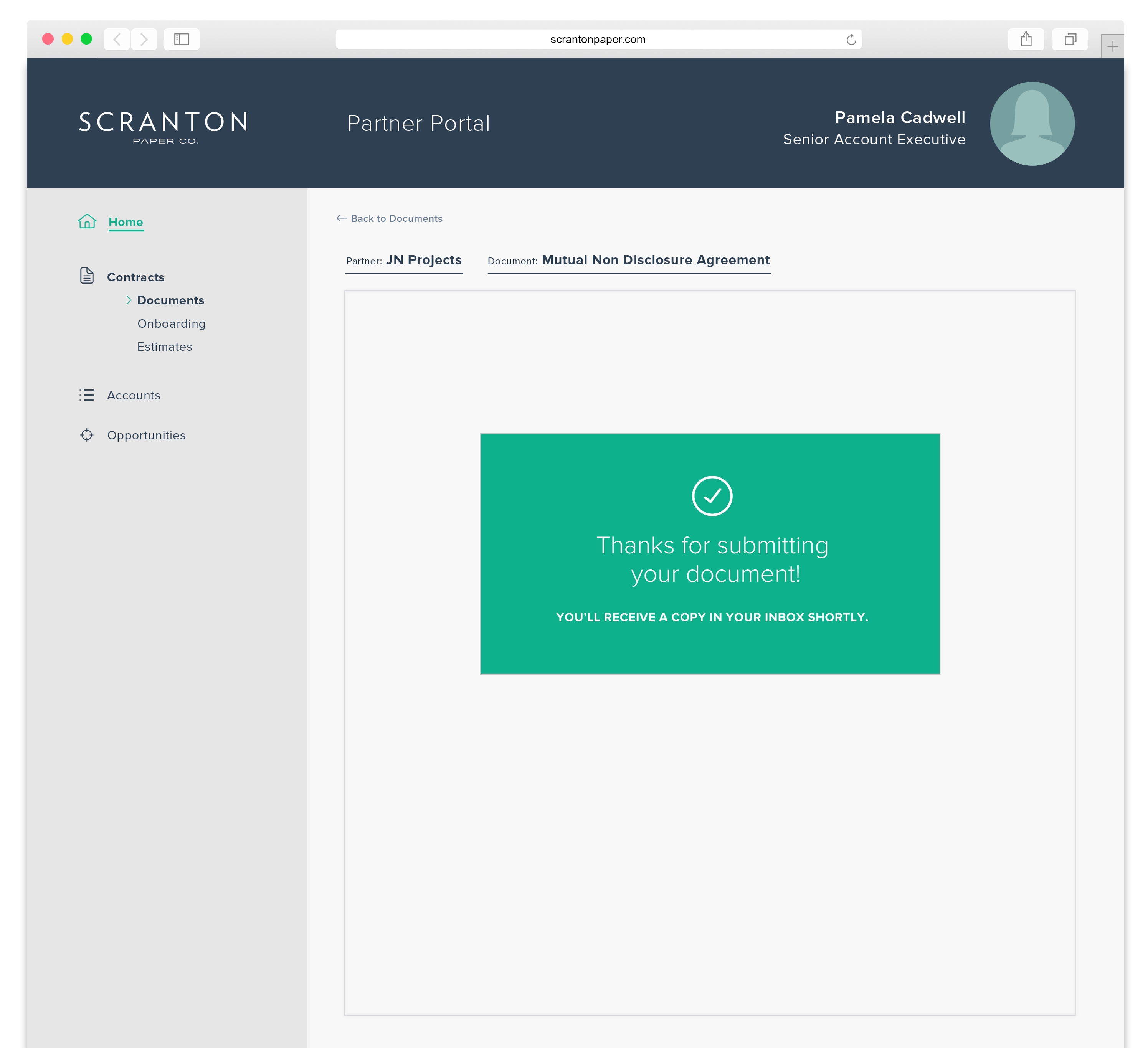 | The document is signed and completed |